
Last Tuesday, whilst doing the washing up after another day of back-to-back video calls, I found myself reflecting on the peculiar phenomenon of virtual presentation anxiety. Here we are, years into the remote working revolution, yet I still witness senior executives fumbling through Zoom presentations like teenagers giving their first school assembly.
The irony is palpable. These are the same leaders who can command a boardroom with ease, yet place them in front of a laptop camera and they transform into deer caught in headlights. Their voices become monotone, their gestures disappear, and their natural charisma evaporates into the digital ether.
But here's what I've observed from working with hundreds of professionals: virtual presentation mastery isn't about becoming a different person on camera. It's about understanding the unique dynamics of digital communication and adapting your natural presence accordingly.
The Virtual Presentation Paradox
The challenge isn't that virtual presentations are inherently more difficult, it's that they require a fundamentally different skill set. When you're presenting to a room full of people, you receive immediate feedback through body language, facial expressions, and energy levels. Virtual environments strip away these crucial social cues, leaving you essentially performing to what feels like a black hole.
This absence of feedback creates what psychologists call "social presence theory", the degree to which we feel we're interacting with real humans rather than technology. When social presence is low (as it often is in virtual meetings), our confidence naturally wavers because we can't gauge whether our message is landing.
Step One: Build Your Technical Foundation
Master Your Physical Setup
Your confidence begins before you even open your mouth. Position your camera at eye level, this isn't merely about aesthetics, it's about psychology. When your camera is too low, you're literally looking down at your audience, creating an unconscious power dynamic that undermines connection.
I learned this the hard way during a presentation to a pharmaceutical company's board. My laptop was positioned on my kitchen table (a relic from early pandemic days), forcing me to hunch over like some sort of digital Quasimodo. The feedback was brutal: "Tom seemed disconnected and hard to engage with." The content was solid, but my physical positioning had sabotaged the entire presentation.
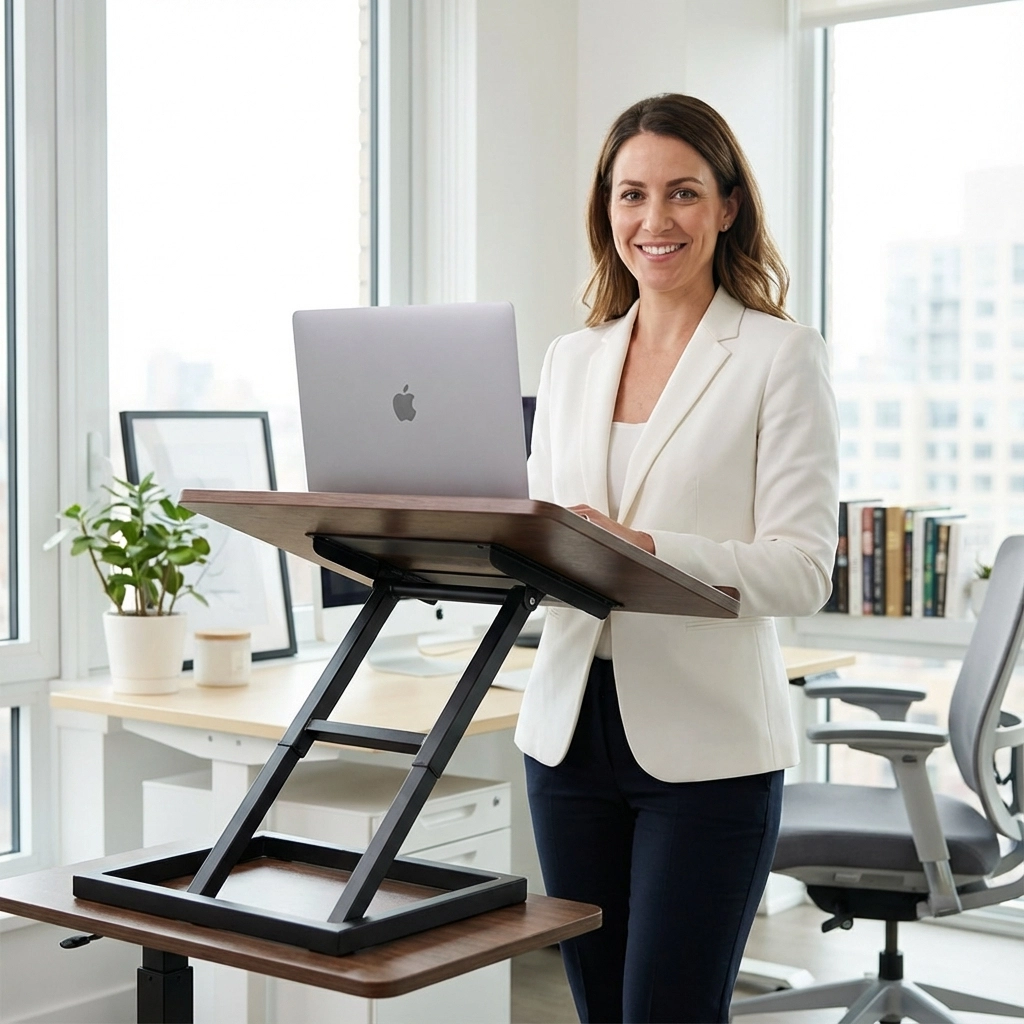
Stand rather than sit whenever possible. This single change transforms your energy levels and keeps you in what I call "presentation mode." Your voice projects better, your gestures become more natural, and your overall presence strengthens considerably.
Optimise Your Visual Presence
Lighting matters more than you might think. Position yourself facing a window for natural light, or invest in a simple ring light. Poor lighting doesn't just make you look unprofessional, it makes you feel less confident because you're subconsciously aware that you're not presenting your best self.
Clean up your background, but don't obsess over it. A bookshelf or plain wall works perfectly well. The goal is to eliminate distractions, not create a museum exhibit. I've seen executives spend more time arranging their bookshelf than preparing their content, classic displacement behaviour that indicates underlying anxiety.
Step Two: Prepare Your Mental State
Develop a Pre-Presentation Ritual
Elite athletes have warm-up routines for a reason, they prime both body and mind for peak performance. Virtual presentations require the same intentional preparation.
My ritual is simple but effective: three deep breaths to activate the parasympathetic nervous system, followed by what I call the "value reminder", a thirty-second mental review of the specific benefit I'm bringing to the audience. This shifts focus away from self-conscious anxiety toward audience-centred purpose.

Practice Like Your Career Depends on It
Here's where most people go wrong: they practice their content but not their delivery. Reading through slides whilst sitting in your pyjamas bears no resemblance to presenting on camera to thirty colleagues.
Practice standing up, looking at your camera, and speaking as if your audience is present. This isn't about memorising every word, that leads to robotic delivery. Instead, practice your key transitions and main points until they feel natural. Know your content well enough that you can adapt if technology fails or questions arise.
Film yourself during practice sessions. Yes, it's uncomfortable. Yes, you'll hate how you look and sound. Do it anyway. This self-awareness exercise is invaluable for identifying nervous habits like filler words, excessive hand movements, or poor posture.
Visualise Success, Not Perfection
Sports psychologists have long understood the power of mental imagery. Before your presentation, spend five minutes visualising yourself delivering your content confidently, connecting with your audience, and handling questions smoothly.
But here's the crucial bit, don't visualise perfection. Visualise competence. Imagine yourself recovering gracefully from a technical glitch or smoothly handling a challenging question. This mental rehearsal builds resilience and reduces the fear of things going wrong.
Step Three: Execute with Strategic Presence
Master Digital Eye Contact
This is where virtual presentations become counterintuitive. To create eye contact with your audience, you must look at your camera, not their faces on screen. It feels unnatural because you're essentially staring at a small black dot whilst speaking to what appears to be no one.
Place a small arrow sticker next to your camera as a visual reminder. Some presenters use a photograph of a friendly face positioned near their camera. The goal is to trick your brain into looking up rather than down at the screen.
Use Strategic Gestures
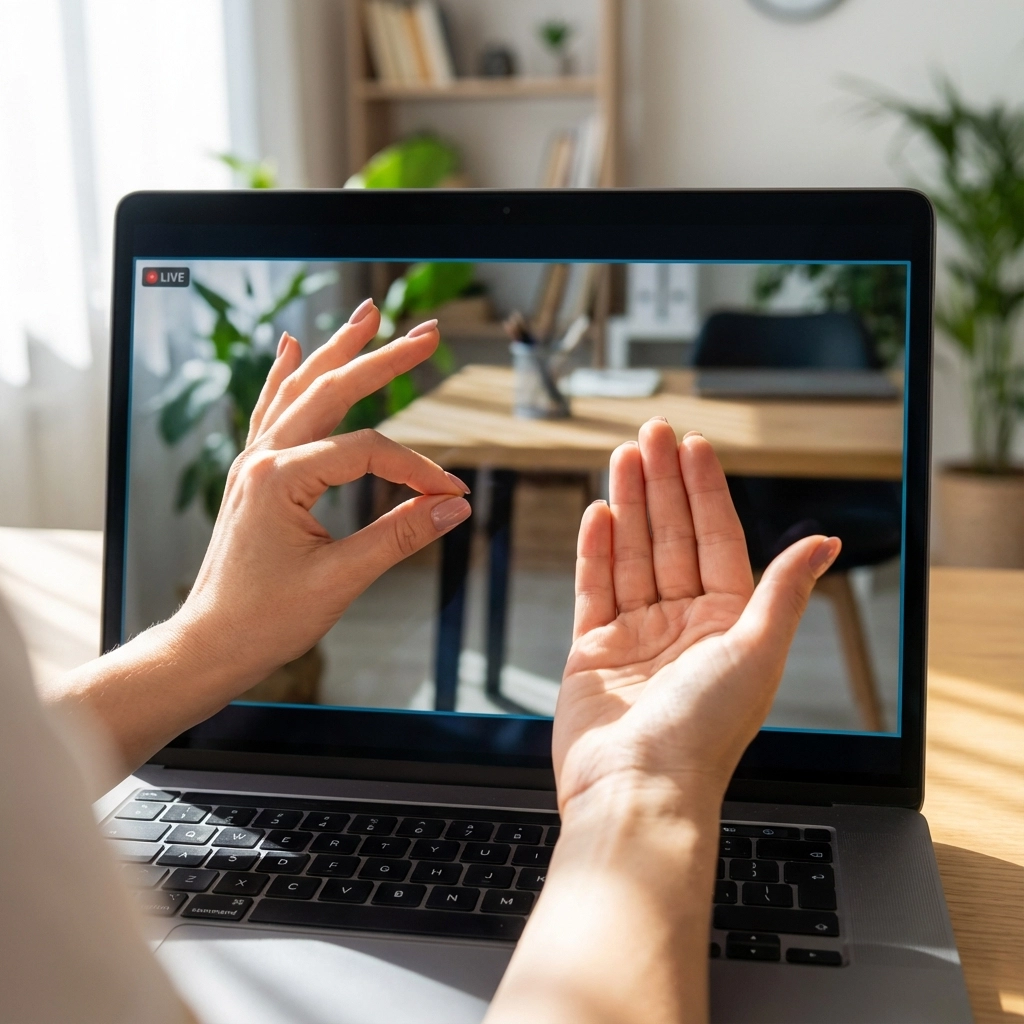
Your hands should remain visible and within the camera frame. Avoid the classic "invisible box" trap where your gestures disappear below the screen line. Practice common gestures, pointing, emphasising numbers, indicating size or direction, whilst watching yourself on camera.
Eliminate nervous fidgeting. The camera amplifies small movements that would be invisible in person. Pen clicking, paper shuffling, or chair swiveling become major distractions in the digital environment.
Engage Through Questions and Interaction
Virtual audiences disengage faster than in-person ones. Combat this by building interaction into your presentation structure. Ask questions every three to four minutes. Use polls or chat functions if your platform allows it. Even simple requests like "Type 'yes' in the chat if you've experienced this challenge" can re-energise a virtual room.
Share brief stories or examples that connect your content to real experiences. The human brain is wired for narrative, and stories create engagement even when delivered through a screen.
Manage Your Voice and Pacing
Virtual presentations require slightly slower pacing than in-person delivery. Technical delays, audio lag, and processing time mean your audience needs extra moments to absorb information.
Embrace strategic pauses. When you finish making a point, stop talking and look at your camera for a full two seconds. This feels eternal to you but appears natural to your audience and gives weight to your message.
The Mindset Shift That Changes Everything
Here's what I've observed after working with thousands of professionals through our corporate training programmes: the most confident virtual presenters aren't necessarily the most technically skilled: they're the ones who've made a fundamental mindset shift.
Instead of thinking "How do I look good on camera?" they ask "How do I serve my audience effectively?" This subtle change redirects focus from self-conscious performance anxiety toward audience-centred value delivery.

When you're genuinely focused on helping your audience understand something important, solve a problem, or make better decisions, the medium becomes secondary to the message. Your authenticity shows through, technical glitches become minor inconveniences rather than disasters, and your natural expertise takes centre stage.
The future of business communication is undeniably digital. Those who master virtual presentation skills now will have a significant advantage as hybrid working becomes the standard rather than the exception. The question isn't whether you'll need these skills: it's whether you'll develop them before or after your next career-defining presentation.
Which approach resonates most with your current virtual presentation challenges? Have you noticed particular techniques that work especially well in your industry or role?
